Receive alerts on important updates regarding RFQs that you are assigned to or ones that you are subscribed to. Purchaser enables you to stay on top of your alerts and customize which notifications are important to you. Notification settings are specific to individual users so each user will have control over their own settings.
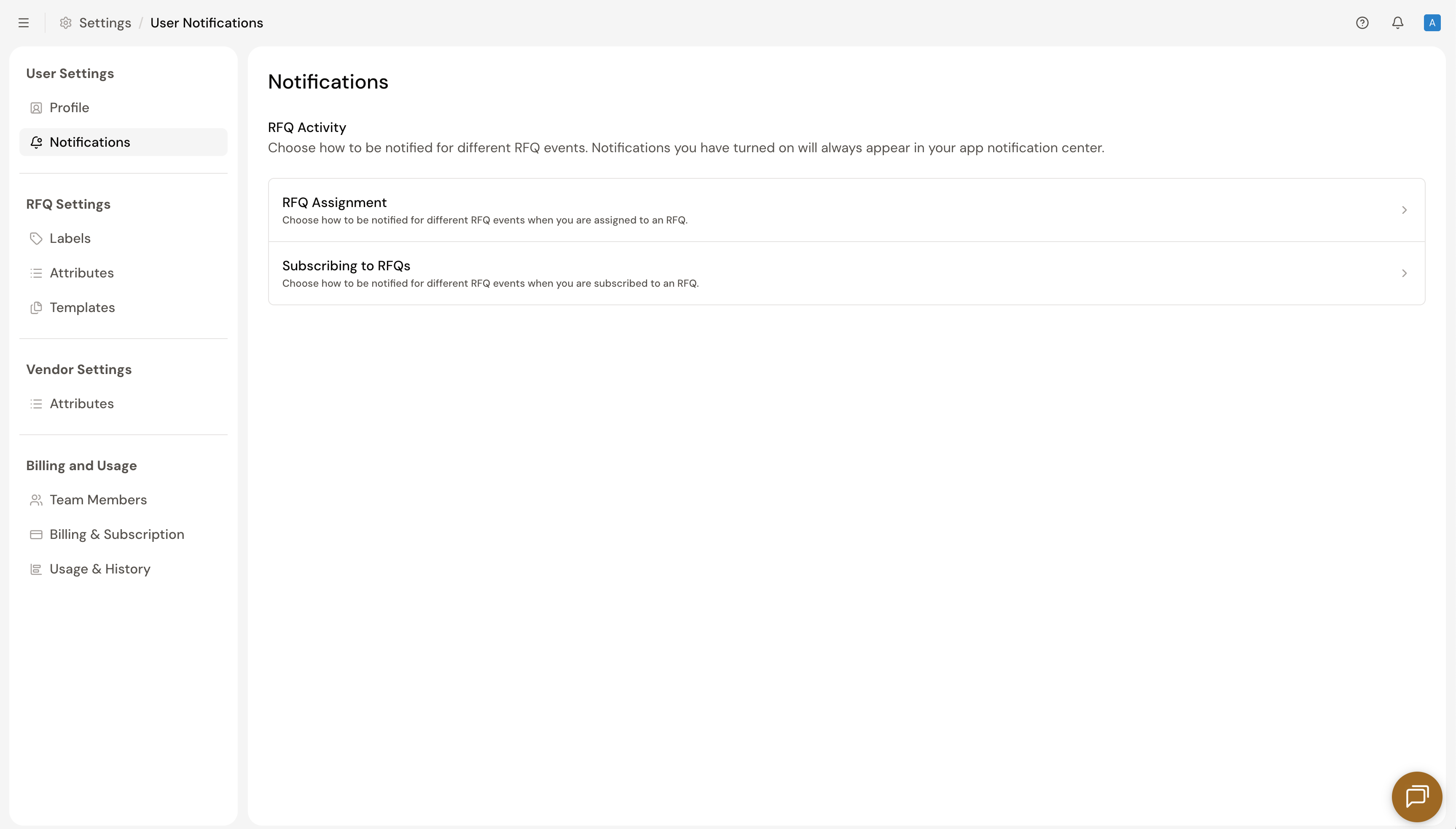
All notifications are accessible in real-time via the Notification Center (bell icon) located in the top-right corner of the platform. Users can also receive specific updates to their email. To manage and configure your settings go to your Workspace Settings and select the Notifications tab.
Alerts can be managed through two categories: RFQ Assignments for any requests directly assigned to you, and Subscribing to RFQs for any requests that you are subscribed to.
To receive updates, ensure you are either assigned to the RFQ or subscribed. Notifications are exclusively sent to active assignees and subscribers.
Manage your notifications by toggling on the specific events you wish to track. Once an update is enabled, use the checkboxes to opt-in to email notifications for that specific activity.
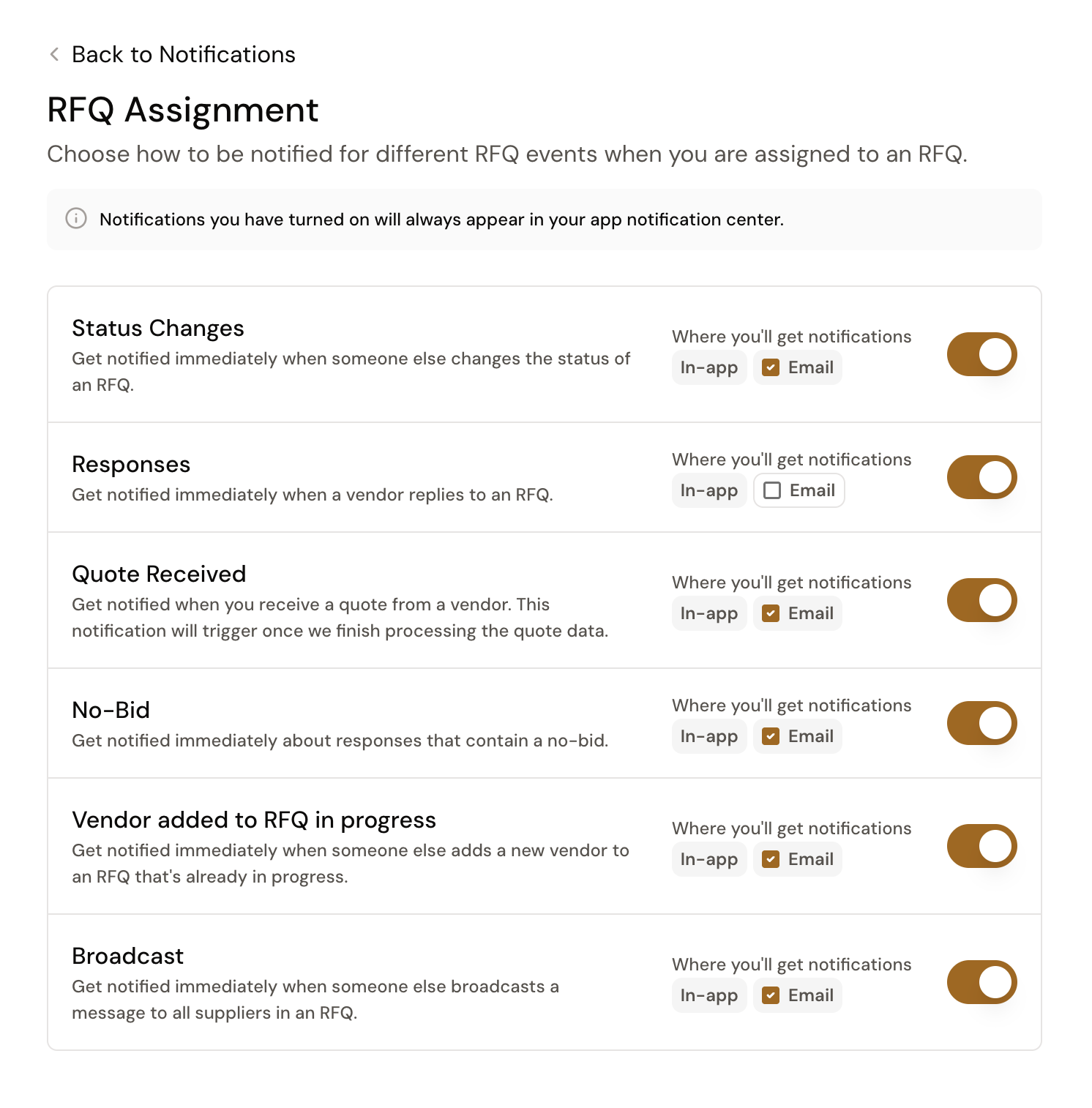 Users can choose to be notified of the following changes to RFQs that they are either assigned or subscribed to:
Still got questions? Contact Us or Book a Demo to learn more about how Purchaser can fit into your workflow.